With a new year, we're excited to share a fresh wave of improvements to your Tracka experience.
New heart rate zones
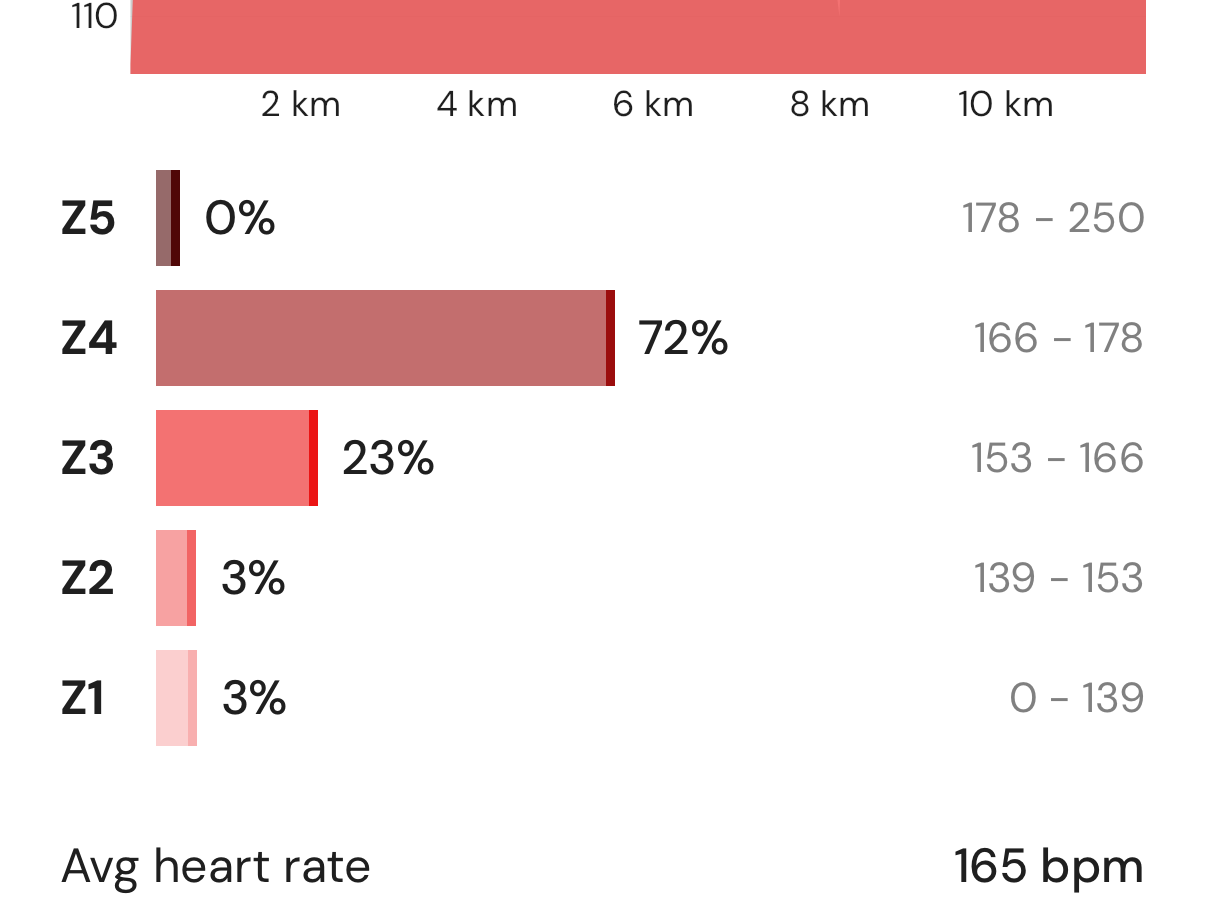
Heart rate zones are an important indicator of intensity. You can now view your heart rate zones in the activity overview. Heart rate zones are automatically calculated based our your tagged race and workout performances. This keeps your zones accurate for your current performance. You can also manually set your heart rate zones if you already know your heart rate zones.
Built by athletes for athletes
Your feedback continues to shape how we build Tracka. Thank you for you ongoing support, ideas and passion for Tracka. We'd love to hear what you'd like to see next. Feel free to contact us via email or through our subreddit.
All changes
All the changes we've made for version 2026.1.14.
What's new?
-
Added automatic and manual heart rate zones.
-
You can now swipe to go back.
-
Added normalized values to chart tooltips.
-
You can now filter your activities.
-
You can now quickly clear search queries.
What's changed?
-
Swipe navigation between laps has been mode more sensitive.
-
The activity recorder is now out of beta!
-
Performance and loading times have been improved.
-
App badge count now clears when you open the app.
-
Improved the hit radius of buttons and tappable areas.
-
You can now move the map within the activity recorder.
-
Misc. styling changes.
-
Comments now sort newest to lowest.
What's fixed?
-
Fixed cropping controls of non distance activities.
-
Fixed chart tooltips not appearing on first chart focus.
-
Activity liked notification now correctly navigate to the activity.
-
Fixed missing like counter when only users without profile image have liked.
-
Fixed blocked users page not showing the blocked users correctly.